


This engineering brief describes practical light curtain alignment concepts. The focus is on the SICK deTec4 series light curtains as shown in Figure 1. It assumes a laser alignment aid is built into the light curtain. Related SICK light curtains such as the deTec4 Core may require the use of an external alignment aid such as the SICK AR60 1015741 shown in Figure 2.
This article is part of the DigiKey Field Guide for Industrial Automation
Location: Understand It → Safety Concepts
Difficulty:  Student — difficulty levels explained
Author: Aaron Dahlen | MSEE | Senior Applications Engineer, DigiKey
Last update: 06 Mar 2026

Figure 1: Image of a SICK deTec4 light curtain attached to T-slot aluminum in a classroom setting.
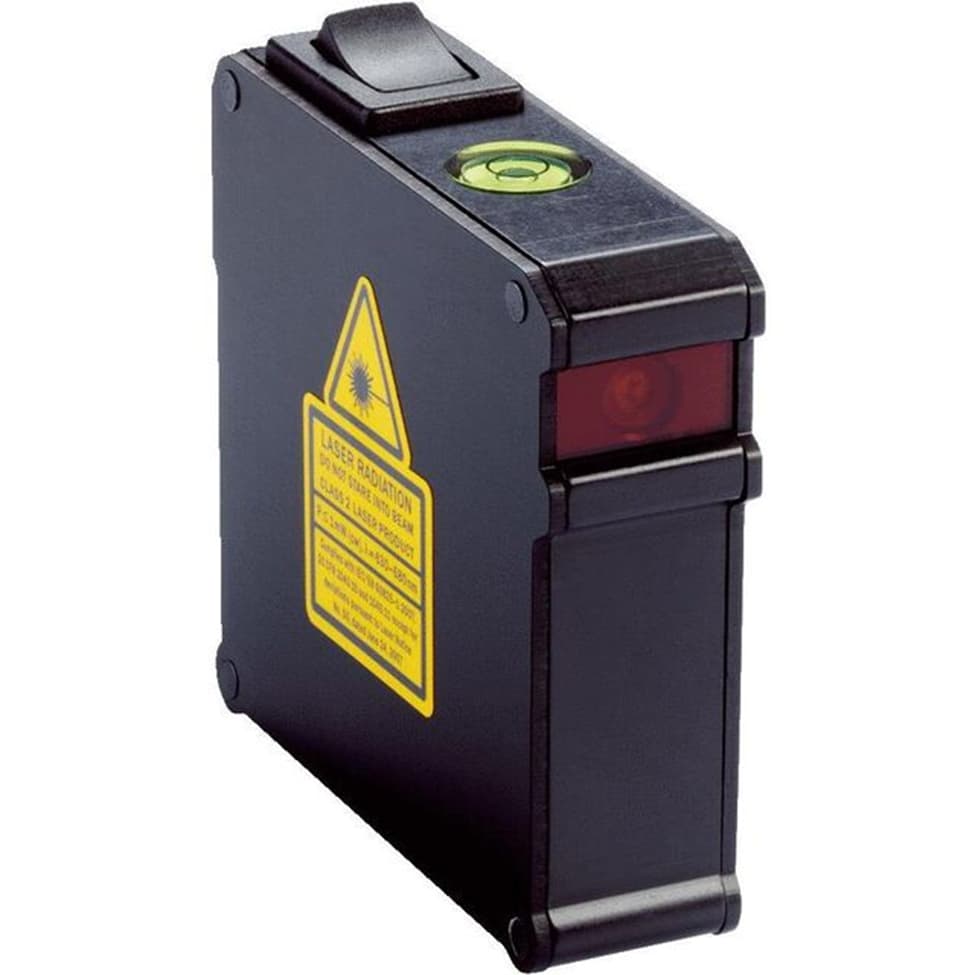
Figure 2: Image of the SICK AR60 laser alignment tool.
Answer
The SICK deTec4 is align using the integral laser alignment aid. In an ideal setting:
-
Activate the integral laser alignment aid
-
The initial goal is to move the light curtains so that the alignment laser strikes the midpoint between the status LEDs as shown in Figure 3. This may require movement on multiple axes as shown in Figure 4. It may be necessary to move both sender and receiver.
-
Finely adjust the light curtain as necessary until all indicator LEDs are activated. This includes the cluster shown in Figure 3 plus an additional four near the top of the unit (not shown).
-
Verify the health of the light curtain using the networked connection (e.g. IO-Link) or use your cell phone’s Near Field Communication (NFC) feature along with the SICK Safety Assistant App.
-
Clamp the light curtains into position so that they remain in place even if inadvertently bumped.
Tech Tip: As stated in the datasheet: The integrated laser alignment aid can be controlled either via a switch or pushbutton on the sender or via a sender-receiver connection (Safety Designer, IO-Link, SICK Safety Assistant, alignment mode).
The pushbutton shown in Figure 5 provides a convenient way to activate the integral laser alignment tool, especially in a classroom setting. Select the appropriate button for your cable configuration:

Figure 3: Alignment LEDs illuminate to indicate a valid alignment. The deTec4 has four additional LEDs on the top of the unit.

Figure 4: Image of light curtain alignment including rotational and translational adjustment.
Parallel alignment between sender and receiver is necessary
Figure 4, with the green movement markers is found in SICK’s deTec4 Operating Instructions. I’ve added the red marking indicating that the mount between the receiver and transmitter must be parallel. Like a sagging door, we will encounter problems if the beams do not arrive perpendicular to the face of the light curtain. Stated another way, the sender and the receiver must be parallel.
The deTec4 provides a total of eight status LEDs to achieve proper alignment. It may be necessary to move the light curtain on all axes to obtain the perfect alignment. Final alignment is verified using NFC or IO-Link.
Tech Tip: You will be tempted to shim the light curtain to correct for non-parallel alignment. This is not recommended as shims may place mechanical stress on the light curtain resulting in nuisance trips or damage to the light curtain components.
Consult a safety engineer to determine the best action for your facility and protection level. However, begin with the end in mind and maintain rigid, square walls onto which the light curtains are mounted.

Figure 5: Image of the SICK pushbutton which may be used to activate the integral laser alignment tool.
What happens if the light curtains are misaligned or not properly secured?
Light curtains are sensitive and fast-acting safety devices, designed to shut down a machine or process. For many situations, this is like performing an emergency stop with SIL- or performance-level-appropriate actions taken to prevent damage to life and limb.
- The restart will be costly from a time and materials perspective.
- Depending on the system, technicians may be required to activate the process.
- Depending on the nature of the plant, an investigation may be required to determine the root cause.
False alarms are a serious concern in an industrial environment
False alarms are like the boy who cried wolf. Nuisance trips cause people to travel down one of Yoda’s dark paths:
- Frustration
- Frustration leads to complacency
- Complacency leads to temptation to disable the safety features
- Down the path workplace accidents… go, you shall
The bottom line: nuisance shutdowns undermine the plant’s safety strategy.
 Continue Exploring Industrial Control Systems
If this discussion was helpful, you may also want to explore:
 DigiKey Navigation
- Full Catalog: Industrial Control & Automation
 Related Foundational Articles
About This Author
Aaron Dahlen, LCDR USCG (Ret.), is a Senior Applications Engineer at DigiKey in Thief River Falls. His background in electronics and industrial automation was shaped by a 27-year military career as both technician and engineer, followed by over a decade of teaching.
Dahlen holds an MSEE from Minnesota State University, Mankato. He has taught in an ABET-accredited electrical engineering program, served as coordinator of an electronic engineering technology program, and instructed military technicians in component-level repair.
Today, he has returned to his home in northern Minnesota, completing a decades-long journey that began with a search for capacitors. Read his story here.