


The present article will cover how to install the ARM Cross-Compiler in a separate Linux computer. In Part 5 the Hard Processor System (HPS) was connected to a WiFi Network via the Ethernet interface in the DE-25 FPGA Dev Kit
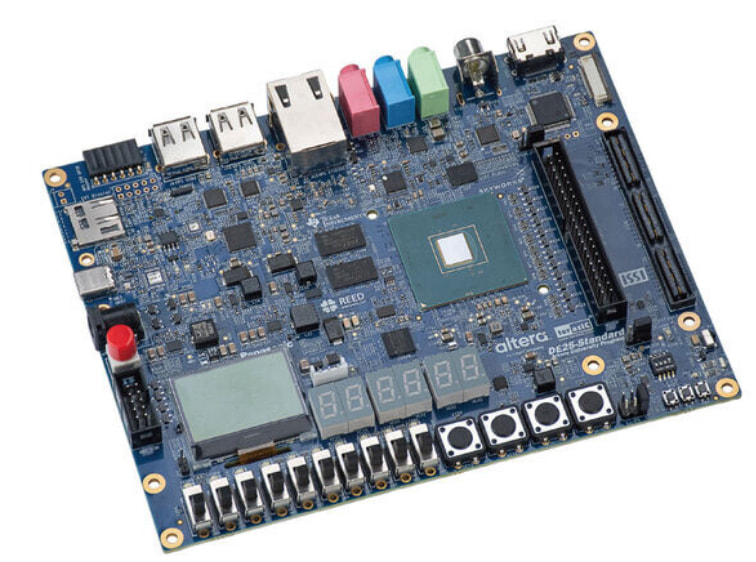
This article assumes that the previous steps outlined in Part 4 and Part 5 were completed.
Please refer to those before continuing with this article.
In order to install the ARM cross-compiler in a Linux host perform these steps. First create a folder and then issue these commands,
digikey_coffee_cup: ~$ cd /Digikey/
digikey_coffee_cup: ~$ wget https://developer.arm.com/-/media/Files/downloads/gnu/11.2-2022.02/binrel/gcc-arm-11.2-2022.02-x86_64-aarch64-none-linux-gnu.tar.xz
Now extract these files to the folder,
digikey_coffee_cup: ~$ tar xf gcc-arm-11.2-2022.02-x86_64-aarch64-none-linux-gnu.tar.xz
Now add the path to the environment as follows,
digikey_coffee_cup: ~$ export PATH=~/Digikey/gcc-arm-11.2-2022.02-x86_64-aarch64-none-linux-gnu/bin$:$PATH”
This has completed the installation of the ARM Cross Compiler in a Linux Host. This Linux Host will be used to edit the C high level language and cross-compile it to an ARM binary that will be transferred via SSH to the DE-25 HPS running Linux in future articles.
The DE-25 FPGA Dev Kit is a powerful platform featuring an HPS/FPGA Agilex 5 (available as D-Series and E-Series depending on the case) capable of implementing Tensor AI slices,

that go beyond what traditional/classical old school DSP slices implemented in the past,

and it is available at DigiKey.
Have a wonderful day!
This article is available in spanish here.
Este artículo está disponible en español aquí.