


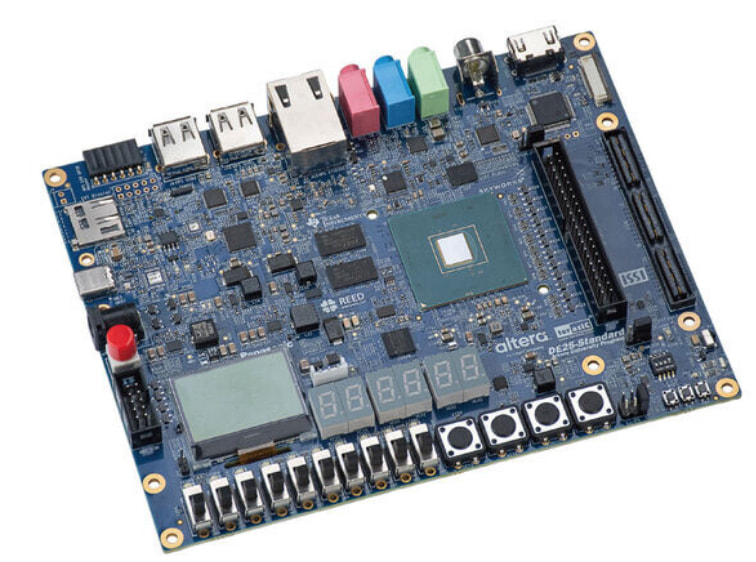
The present article will cover how to connect the Hard Processor System (HPS) to a Network via the Ethernet interface in the DE-25 FPGA Dev Kit
Please refer to the previous article Part 4 for the installation of the Linux operating system before continuing.
If a properly working WiFi Router is attached with an Ethernet cable to the RJ45 Connector in the DE-25 FPGA Dev Kit, the HPS running Linux will automatically get an IP address via DHCP. (This can be done with a cross-over cable too but that will not be covered here). After connecting an Ethernet cable between a Router and the DE-25 FPGA Dev Kit it will be connected automatically to the LAN. To confirm the successful connection, issue the following command ifconfig via the PuTTy terminal of the HPS,

This confirms the IP address of the HPS in the DE-25 FPGA Dev Kit as 192.168.1.131. (the utility ping can be used to check connectivity to other IP addresses in the network)
This completes the setup of the HPS to the Network. Finally, setup a SSH connection as follows ssh terasic@192.168.1.131 for this case (adjust IP address as needed) with password = 123,
computer: ~$ ssh terasic@192.168.1.131
terasic@192.168.1.131's password:
Welcome to Ubuntu 22.04.3 LTS (GNU/Linux 6.12.11-g0fd834169474 aarch64)

 * Documentation:  https://help.ubuntu.com
 * Management:     https://landscape.canonical.com
 * Support:        https://ubuntu.com/advantage

This system has been minimized by removing packages and content that are
not required on a system that users do not log into.

To restore this content, you can run the 'unminimize' command.
Last login: Sat Jan  1 08:05:23 2000
To run a command as administrator (user "root"), use "sudo <command>".
See "man sudo_root" for details.

terasic@localhost:~$
Now that the SSH connection is there, this article is complete. The DE-25 FPGA Dev Kit is a powerful HPS/FPGA platform with many peripherals and is available at DigiKey.
Have a great day!
This article is available in spanish here.
Este artículo está disponible en español aquí.