


In this article we will cover on how to setup the Raspberry Pico 2 W as a wireless access point (LAN Hotspot) (2.4GHz IEEE 802.11n standard) with the C SDK. The device will use Dynamic Host Control Protocol (DHCP) server to assign an IP address to the client that connects directly to it (like a WiFi LAN router).

This article assumes that the C SDK is properly installed in the computer.
The first step is to build the C source code shown below,
/**
 * Copyright (c) 2022 Raspberry Pi (Trading) Ltd.
 *
 * SPDX-License-Identifier: BSD-3-Clause
 */

#include <string.h>

#include "pico/cyw43_arch.h"
#include "pico/stdlib.h"

#include "lwip/pbuf.h"
#include "lwip/tcp.h"

#include "dhcpserver.h"
#include "dnsserver.h"

#define TCP_PORT 80
#define DEBUG_printf printf
#define POLL_TIME_S 5
#define HTTP_GET "GET"
#define HTTP_RESPONSE_HEADERS "HTTP/1.1 %d OK\nContent-Length: %d\nContent-Type: text/html; charset=utf-8\nConnection: close\n\n"
#define LED_TEST_BODY "<html><body><h1>Hello from Pico.</h1><p>Led is %s</p><p><a href=\"?led=%d\">Turn led %s</a></body></html>"
#define LED_PARAM "led=%d"
#define LED_TEST "/ledtest"
#define LED_GPIO 0
#define HTTP_RESPONSE_REDIRECT "HTTP/1.1 302 Redirect\nLocation: http://%s" LED_TEST "\n\n"

typedef struct TCP_SERVER_T_ {
    struct tcp_pcb *server_pcb;
    bool complete;
    ip_addr_t gw;
} TCP_SERVER_T;

typedef struct TCP_CONNECT_STATE_T_ {
    struct tcp_pcb *pcb;
    int sent_len;
    char headers[128];
    char result[256];
    int header_len;
    int result_len;
    ip_addr_t *gw;
} TCP_CONNECT_STATE_T;

static err_t tcp_close_client_connection(TCP_CONNECT_STATE_T *con_state, struct tcp_pcb *client_pcb, err_t close_err) {
    if (client_pcb) {
        assert(con_state && con_state->pcb == client_pcb);
        tcp_arg(client_pcb, NULL);
        tcp_poll(client_pcb, NULL, 0);
        tcp_sent(client_pcb, NULL);
        tcp_recv(client_pcb, NULL);
        tcp_err(client_pcb, NULL);
        err_t err = tcp_close(client_pcb);
        if (err != ERR_OK) {
            DEBUG_printf("close failed %d, calling abort\n", err);
            tcp_abort(client_pcb);
            close_err = ERR_ABRT;
        }
        if (con_state) {
            free(con_state);
        }
    }
    return close_err;
}

static void tcp_server_close(TCP_SERVER_T *state) {
    if (state->server_pcb) {
        tcp_arg(state->server_pcb, NULL);
        tcp_close(state->server_pcb);
        state->server_pcb = NULL;
    }
}

static err_t tcp_server_sent(void *arg, struct tcp_pcb *pcb, u16_t len) {
    TCP_CONNECT_STATE_T *con_state = (TCP_CONNECT_STATE_T*)arg;
    DEBUG_printf("tcp_server_sent %u\n", len);
    con_state->sent_len += len;
    if (con_state->sent_len >= con_state->header_len + con_state->result_len) {
        DEBUG_printf("all done\n");
        return tcp_close_client_connection(con_state, pcb, ERR_OK);
    }
    return ERR_OK;
}

static int test_server_content(const char *request, const char *params, char *result, size_t max_result_len) {
    int len = 0;
    if (strncmp(request, LED_TEST, sizeof(LED_TEST) - 1) == 0) {
        // Get the state of the led
        bool value;
        cyw43_gpio_get(&cyw43_state, LED_GPIO, &value);
        int led_state = value;

        // See if the user changed it
        if (params) {
            int led_param = sscanf(params, LED_PARAM, &led_state);
            if (led_param == 1) {
                if (led_state) {
                    // Turn led on
                    cyw43_gpio_set(&cyw43_state, LED_GPIO, true);
                } else {
                    // Turn led off
                    cyw43_gpio_set(&cyw43_state, LED_GPIO, false);
                }
            }
        }
        // Generate result
        if (led_state) {
            len = snprintf(result, max_result_len, LED_TEST_BODY, "ON", 0, "OFF");
        } else {
            len = snprintf(result, max_result_len, LED_TEST_BODY, "OFF", 1, "ON");
        }
    }
    return len;
}

err_t tcp_server_recv(void *arg, struct tcp_pcb *pcb, struct pbuf *p, err_t err) {
    TCP_CONNECT_STATE_T *con_state = (TCP_CONNECT_STATE_T*)arg;
    if (!p) {
        DEBUG_printf("connection closed\n");
        return tcp_close_client_connection(con_state, pcb, ERR_OK);
    }
    assert(con_state && con_state->pcb == pcb);
    if (p->tot_len > 0) {
        DEBUG_printf("tcp_server_recv %d err %d\n", p->tot_len, err);
#if 0
        for (struct pbuf *q = p; q != NULL; q = q->next) {
            DEBUG_printf("in: %.*s\n", q->len, q->payload);
        }
#endif
        // Copy the request into the buffer
        pbuf_copy_partial(p, con_state->headers, p->tot_len > sizeof(con_state->headers) - 1 ? sizeof(con_state->headers) - 1 : p->tot_len, 0);

        // Handle GET request
        if (strncmp(HTTP_GET, con_state->headers, sizeof(HTTP_GET) - 1) == 0) {
            char *request = con_state->headers + sizeof(HTTP_GET); // + space
            char *params = strchr(request, '?');
            if (params) {
                if (*params) {
                    char *space = strchr(request, ' ');
                    *params++ = 0;
                    if (space) {
                        *space = 0;
                    }
                } else {
                    params = NULL;
                }
            }

            // Generate content
            con_state->result_len = test_server_content(request, params, con_state->result, sizeof(con_state->result));
            DEBUG_printf("Request: %s?%s\n", request, params);
            DEBUG_printf("Result: %d\n", con_state->result_len);

            // Check we had enough buffer space
            if (con_state->result_len > sizeof(con_state->result) - 1) {
                DEBUG_printf("Too much result data %d\n", con_state->result_len);
                return tcp_close_client_connection(con_state, pcb, ERR_CLSD);
            }

            // Generate web page
            if (con_state->result_len > 0) {
                con_state->header_len = snprintf(con_state->headers, sizeof(con_state->headers), HTTP_RESPONSE_HEADERS,
                    200, con_state->result_len);
                if (con_state->header_len > sizeof(con_state->headers) - 1) {
                    DEBUG_printf("Too much header data %d\n", con_state->header_len);
                    return tcp_close_client_connection(con_state, pcb, ERR_CLSD);
                }
            } else {
                // Send redirect
                con_state->header_len = snprintf(con_state->headers, sizeof(con_state->headers), HTTP_RESPONSE_REDIRECT,
                    ipaddr_ntoa(con_state->gw));
                DEBUG_printf("Sending redirect %s", con_state->headers);
            }

            // Send the headers to the client
            con_state->sent_len = 0;
            err_t err = tcp_write(pcb, con_state->headers, con_state->header_len, 0);
            if (err != ERR_OK) {
                DEBUG_printf("failed to write header data %d\n", err);
                return tcp_close_client_connection(con_state, pcb, err);
            }

            // Send the body to the client
            if (con_state->result_len) {
                err = tcp_write(pcb, con_state->result, con_state->result_len, 0);
                if (err != ERR_OK) {
                    DEBUG_printf("failed to write result data %d\n", err);
                    return tcp_close_client_connection(con_state, pcb, err);
                }
            }
        }
        tcp_recved(pcb, p->tot_len);
    }
    pbuf_free(p);
    return ERR_OK;
}

static err_t tcp_server_poll(void *arg, struct tcp_pcb *pcb) {
    TCP_CONNECT_STATE_T *con_state = (TCP_CONNECT_STATE_T*)arg;
    DEBUG_printf("tcp_server_poll_fn\n");
    return tcp_close_client_connection(con_state, pcb, ERR_OK); // Just disconnect clent?
}

static void tcp_server_err(void *arg, err_t err) {
    TCP_CONNECT_STATE_T *con_state = (TCP_CONNECT_STATE_T*)arg;
    if (err != ERR_ABRT) {
        DEBUG_printf("tcp_client_err_fn %d\n", err);
        tcp_close_client_connection(con_state, con_state->pcb, err);
    }
}

static err_t tcp_server_accept(void *arg, struct tcp_pcb *client_pcb, err_t err) {
    TCP_SERVER_T *state = (TCP_SERVER_T*)arg;
    if (err != ERR_OK || client_pcb == NULL) {
        DEBUG_printf("failure in accept\n");
        return ERR_VAL;
    }
    DEBUG_printf("client connected\n");

    // Create the state for the connection
    TCP_CONNECT_STATE_T *con_state = calloc(1, sizeof(TCP_CONNECT_STATE_T));
    if (!con_state) {
        DEBUG_printf("failed to allocate connect state\n");
        return ERR_MEM;
    }
    con_state->pcb = client_pcb; // for checking
    con_state->gw = &state->gw;

    // setup connection to client
    tcp_arg(client_pcb, con_state);
    tcp_sent(client_pcb, tcp_server_sent);
    tcp_recv(client_pcb, tcp_server_recv);
    tcp_poll(client_pcb, tcp_server_poll, POLL_TIME_S * 2);
    tcp_err(client_pcb, tcp_server_err);

    return ERR_OK;
}

static bool tcp_server_open(void *arg, const char *ap_name) {
    TCP_SERVER_T *state = (TCP_SERVER_T*)arg;
    DEBUG_printf("starting server on port %d\n", TCP_PORT);

    struct tcp_pcb *pcb = tcp_new_ip_type(IPADDR_TYPE_ANY);
    if (!pcb) {
        DEBUG_printf("failed to create pcb\n");
        return false;
    }

    err_t err = tcp_bind(pcb, IP_ANY_TYPE, TCP_PORT);
    if (err) {
        DEBUG_printf("failed to bind to port %d\n",TCP_PORT);
        return false;
    }

    state->server_pcb = tcp_listen_with_backlog(pcb, 1);
    if (!state->server_pcb) {
        DEBUG_printf("failed to listen\n");
        if (pcb) {
            tcp_close(pcb);
        }
        return false;
    }

    tcp_arg(state->server_pcb, state);
    tcp_accept(state->server_pcb, tcp_server_accept);

    printf("Try connecting to '%s' (press 'd' to disable access point)\n", ap_name);
    return true;
}

void key_pressed_func(void *param) {
    assert(param);
    TCP_SERVER_T *state = (TCP_SERVER_T*)param;
    int key = getchar_timeout_us(0); // get any pending key press but don't wait
    if (key == 'd' || key == 'D') {
        cyw43_arch_lwip_begin();
        cyw43_arch_disable_ap_mode();
        cyw43_arch_lwip_end();
        state->complete = true;
    }
}

int main() {
    stdio_init_all();

    TCP_SERVER_T *state = calloc(1, sizeof(TCP_SERVER_T));
    if (!state) {
        DEBUG_printf("failed to allocate state\n");
        return 1;
    }

    if (cyw43_arch_init()) {
        DEBUG_printf("failed to initialise\n");
        return 1;
    }

    // Get notified if the user presses a key
    stdio_set_chars_available_callback(key_pressed_func, state);

    const char *ap_name = "picow_test";
#if 1
    const char *password = "password";
#else
    const char *password = NULL;
#endif

    cyw43_arch_enable_ap_mode(ap_name, password, CYW43_AUTH_WPA2_AES_PSK);

    #if LWIP_IPV6
    #define IP(x) ((x).u_addr.ip4)
    #else
    #define IP(x) (x)
    #endif

    ip4_addr_t mask;
    IP(state->gw).addr = PP_HTONL(CYW43_DEFAULT_IP_AP_ADDRESS);
    IP(mask).addr = PP_HTONL(CYW43_DEFAULT_IP_MASK);

    #undef IP

    // Start the dhcp server
    dhcp_server_t dhcp_server;
    dhcp_server_init(&dhcp_server, &state->gw, &mask);

    // Start the dns server
    dns_server_t dns_server;
    dns_server_init(&dns_server, &state->gw);

    if (!tcp_server_open(state, ap_name)) {
        DEBUG_printf("failed to open server\n");
        return 1;
    }

    state->complete = false;
    while(!state->complete) {
        // the following #ifdef is only here so this same example can be used in multiple modes;
        // you do not need it in your code
#if PICO_CYW43_ARCH_POLL
        // if you are using pico_cyw43_arch_poll, then you must poll periodically from your
        // main loop (not from a timer interrupt) to check for Wi-Fi driver or lwIP work that needs to be done.
        cyw43_arch_poll();
        // you can poll as often as you like, however if you have nothing else to do you can
        // choose to sleep until either a specified time, or cyw43_arch_poll() has work to do:
        cyw43_arch_wait_for_work_until(make_timeout_time_ms(1000));
#else
        // if you are not using pico_cyw43_arch_poll, then Wi-FI driver and lwIP work
        // is done via interrupt in the background. This sleep is just an example of some (blocking)
        // work you might be doing.
        sleep_ms(1000);
#endif
    }
    tcp_server_close(state);
    dns_server_deinit(&dns_server);
    dhcp_server_deinit(&dhcp_server);
    cyw43_arch_deinit();
    printf("Test complete\n");
    return 0;
}
This will create DHCP server where it will assign an IP address to the client and a HTTP server (using TCP connection-oriented protocol), where the user can control the green LED in the Raspberry Pico 2 W board. After building the wireless access point project then load the firmware (included here for illustration purposes)
picow_access_point_background.uf2 (675 KB)
into the raspberry pico 2 W board as follows,
digikey_coffee_cup # picotool load picow_access_point_background.uf2
After this firmware is loaded into the raspberry pico 2 W board proceed to connect to it from the computer, laptop or cellphone available, via the WiFi “HotSpot” called picow_test using a cellphone or computer using the following credentials:
login: picow_test

password: password
After the connection is established, proceed to open a browser,

This website server is generated by the Raspberry Pico 2 W board and it allows the user to see the board LED state (ON or OFF) and control it too. Please proceed to change the state of the LED by pressing Turn led ON link, and after a small delay, the on board green LED should turn on in the board and the web server wll update the state of the LED as shown below,

Repeat this as many times as needed, and it will demonstrate how to control the Raspberry Pico 2 W green LED via its own wireless access point (similar to a router) from the HTTP client browser using a TCP connection oriented protocol. Other Raspberry Pico 2 W devices can be connected via this wireless access point without having to use a typical router. In this case, the HTTP client is directly connected to the Raspberry Pico 2 W via WiFi. Also other Wireless Access Poiints can be created by just changing name and the password if needed,
    const char *ap_name = "picow_test1";
    const char *password = "password";
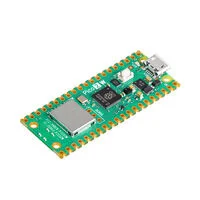
The Raspberry Pico 2 W is available from DigiKey. Have a nice day!
This article is also available in spanish here.
Este artículo está disponible en español aquí